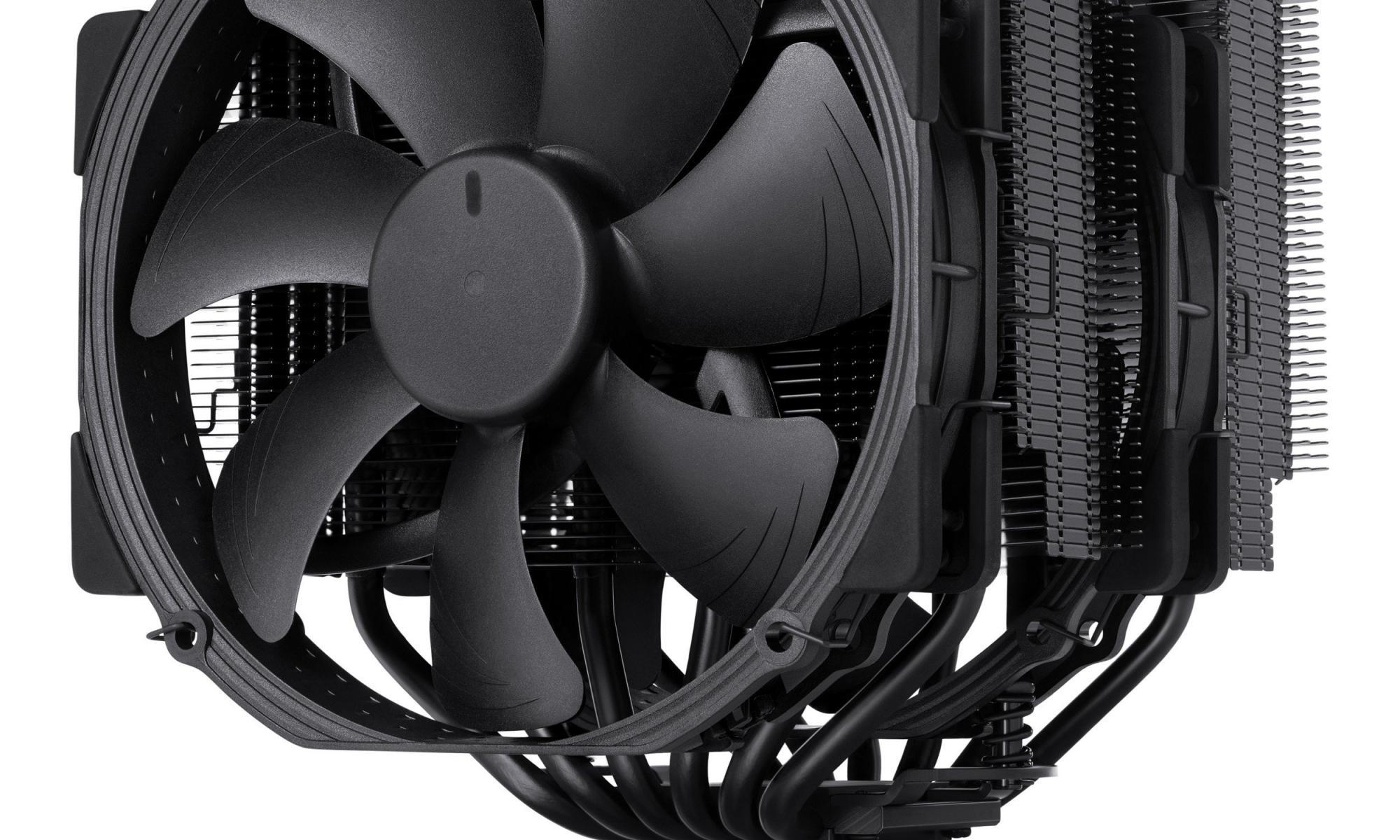
Cooler Comparison at a Glance
Below is a representative sample of how cooler data is organized. The charts track key metrics that matter most to builders: temperature under load, noise output in decibels, and a value rating that weighs performance against price.
| Cooler | Type | Load Temp (°C) | Noise (dBA) | Value Rating |
|---|---|---|---|---|
| Noctua NH-D15 chromax.black | Air (Dual Tower) | 72 | 35 | ★★★★★ |
| Noctua NH-U12S chromax.black | Air (Single Tower) | 78 | 33 | ★★★★☆ |
| Zalman CNPS20X | Air (Dual Tower) | 74 | 37 | ★★★★☆ |
| Raijintek EOS 360 RBW | Liquid (360mm AIO) | 68 | 38 | ★★★★☆ |
| SilverStone Air Blazer Lite | Case Fan (120mm) | — | 28 | ★★★☆☆ |
Data is drawn from in-house testing and reviews published on Hardware Hounds. Cooler performance can vary with case airflow, ambient temperature, and CPU choice — use these charts as a starting point for your own research.
When builders set out to assemble a new rig, few decisions carry as much weight as selecting the right CPU cooler. The charts on this page are designed to cut through the noise—literally and figuratively—by comparing how different coolers perform under sustained load. Keeping a processor within its safe thermal envelope is essential not just for stability, but for squeezing out every bit of performance from chips that are increasingly tuned to boost aggressively when temperatures allow. Whether you are running a demanding workstation workload or pushing frame rates in the latest titles, a cooler that keeps temps in check can make the difference between a system that hums along reliably and one that throttles under pressure.
Noise output is often the metric that separates a good cooler from a great one in real-world use. A cooler that keeps temperatures low but sounds like a jet engine taking off will quickly wear on anyone who spends long hours at their desk. The decibel readings tracked in these charts help shoppers understand what to expect before they commit to a purchase. Many modern coolers strike a careful balance, using larger fans that spin more slowly to move the same volume of air with less acoustic disturbance. For those building a quiet workstation or a living-room gaming setup, these noise figures deserve just as much attention as raw thermal performance.
Air coolers remain a favorite among many enthusiasts for their simplicity, reliability, and complete lack of pump-related failure modes. Dual-tower designs in particular have matured significantly, with dense fin stacks and multiple heat pipes allowing them to compete surprisingly well against many liquid solutions. The value story is also compelling: premium air coolers typically cost less than comparable all-in-one liquid units while offering years of maintenance-free operation. For builders who value longevity and ease of installation, a well-chosen air cooler can be the smartest part of the entire build. The charts make it easy to see how these designs stack up against their liquid counterparts across multiple load scenarios.
Liquid cooling has become increasingly accessible, with all-in-one units offering substantial cooling capacity in a package that is simpler to install than ever before. These coolers shine in compact cases where tall air towers simply will not fit, and their radiator-mounted fans can often run at lower speeds while still dissipating significant heat. For overclockers pushing high-end CPUs to their limits, the thermal headroom provided by a quality liquid cooler can unlock sustained boost clocks that air solutions struggle to match. The trade-offs involve moving parts, potential pump failure, and the occasional need for maintenance, but for many builders the performance benefits outweigh those concerns. The comparison data here helps shoppers weigh those factors side by side.
Beyond the headline numbers, the value rating included in these charts attempts to capture how much performance a buyer gets for their money. A cooler that costs half as much as the class leader while delivering near-identical temperatures is often the smarter choice for a balanced build. Budget-conscious builders will find plenty of capable options that punch well above their weight class, especially at mid-range price points. As new generations of CPUs continue to raise the thermal bar, having reliable, consistent comparison data becomes even more essential. Whether this is your first build or your tenth, taking the time to study these charts before purchasing can save both money and frustration down the road.
Air vs. Liquid Cooling
Air Coolers
Tower and low-profile air coolers rely on heatsinks and fans to dissipate heat. They're generally more affordable, simpler to install, and have fewer points of failure. Top-tier dual-tower designs can rival 240mm AIOs in thermal performance.
AIO Liquid Coolers
All-in-one liquid coolers use a pump, radiator, and fans to move heat away from the CPU. They excel in cramped cases and can handle high TDP chips quietly. Sizes range from 120mm to 360mm radiators.
Custom Loop Cooling
For enthusiasts who want maximum thermal headroom and aesthetics, custom water loops offer unmatched flexibility. They require more maintenance and investment but deliver the best temperatures for overclocked systems.
What to Look For
- Socket compatibility — Make sure the cooler supports your CPU socket (LGA 1200, AM4, etc.).
- Case clearance — Check maximum cooler height for air coolers and radiator mounting points for AIOs.
- TDP rating — Match the cooler's rated thermal design power to your CPU's heat output, especially if overclocking.
- Noise tolerance — Larger fans and radiators can run slower and quieter under the same load.
- RAM clearance — Tall memory modules can interfere with large air coolers; low-profile RAM or offset designs help.