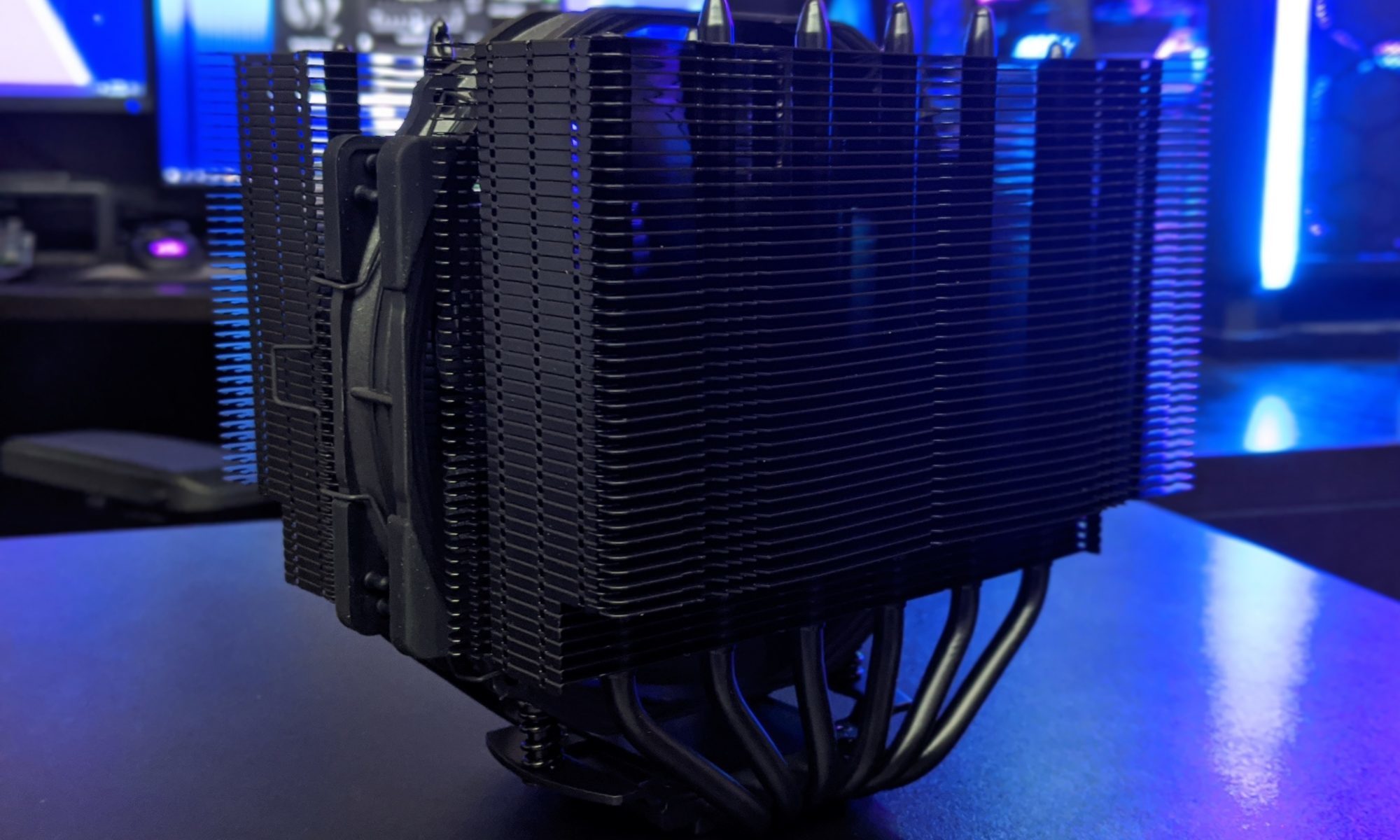
CPU Cooler Clearance Issues In Cases With Narrow RAM Slots
A compact PC can run cool and quietly, but small-form-factor designs leave very little room around the CPU socket. A cooler that fits the case may still overlap the first DIMM slot, block tall memory heat spreaders, or force the front fan upward into the side panel. These are the CPU cooler clearance issues that often appear after the case, motherboard, and RAM have already been purchased.
The phrase “narrow RAM slots” usually describes a cramped installation area rather than physically narrower DIMM sockets. The real limitation comes from the relationship between the CPU socket, memory slots, cooler height, heat pipes, and side-panel clearance. Mini-ITX boards make that relationship especially important because their components are packed closely together.
The following cases are strong examples of enclosures where low-profile memory and carefully selected CPU coolers matter. Some are capable of housing efficient tower coolers, while others are designed around compact top-down or low-profile heatsinks from the start.
Why Memory Clearance Gets Tight
CPU coolers interfere with RAM in two common ways. A large air cooler may extend over the nearest DIMM slot, preventing installation of a module with a tall heat spreader. Alternatively, the cooler may technically clear the memory but require its front fan to sit higher, increasing total cooler height beyond the case specification.
Top-down coolers create a different compromise. Their fans often sit directly above the DIMM area, so tall RGB memory can touch the fan frame or disrupt airflow. Low-profile modules are generally safer, particularly in cases with a 48–70 mm CPU cooler limit.
Case measurements also need to be treated as maximum values rather than guaranteed working dimensions. A listed 70 mm cooler clearance may assume a specific motherboard layout, no raised fan position, and a cooler with a narrow fin stack. Socket position varies between boards, so two Mini-ITX models can produce very different results inside the same enclosure.
Compact Cases At A Glance
The cases below cover ultra-compact sandwich layouts, console-style enclosures, and small traditional Mini-ITX towers. Clearance figures can vary by configuration, so use them as planning references rather than substitutes for the manufacturer’s current specification sheet.
| Case | Approximate CPU cooler limit | Memory clearance concern | Best memory approach |
|---|---|---|---|
| Fractal Design Terra | 77 mm, configuration dependent | Cooler and GPU spacing compete for room | Low-profile, non-RGB DIMMs |
| FormD T1 | About 70 mm | Tight socket and side-panel area | Short heat spreaders |
| Louqe Ghost S1 | About 66 mm without TopHat | Cooler height and RAM overlap | Low-profile memory |
| DAN A4-SFX | About 48 mm | Very limited vertical space | Standard-height or low-profile DIMMs |
| Lian Li A4-H2O | About 55 mm air cooling | Narrow air-cooler zone above RAM | Compact low-profile kits |
| SSUPD Meshlicious | Roughly 73 mm in many layouts | Motherboard and riser arrangement constrain cooler choice | Avoid oversized heat spreaders |
| SilverStone Milo 12 | Around 77 mm | Top-down coolers sit close to DIMMs | Low-profile modules preferred |
| Sliger SM550 | About 55 mm | Minimal cooler volume around the socket | Low-profile memory and compact coolers |
| Cooler Master NR200P | Up to about 155 mm | Tower coolers can overhang DIMM slots | Check cooler-to-RAM geometry |
| NZXT H210 | Up to about 165 mm | Full-size coolers may cover the first slot | Standard-height kits with measured spacing |
These limits make the Fractal Design Terra, FormD T1, Ghost S1, and DAN A4-SFX particularly demanding. They reward a complete parts plan built around a specific cooler, motherboard, and memory kit rather than broad compatibility assumptions.
The NR200P and H210 are more forgiving because they accept much taller coolers. However, a generous case-height figure does not guarantee unobstructed RAM access. A 140 mm tower can still hang over the DIMM slots, especially on boards where the socket sits close to the memory edge.
Ultra-Compact Enclosures Need Careful Matching
The Fractal Design Terra uses an adjustable internal spine, allowing builders to prioritize either graphics card width or CPU cooler space. That flexibility is useful, but it means cooler clearance can change significantly between builds. A low-profile cooler and short memory kit preserve more options than a wide heatsink paired with RGB DIMMs.
The FormD T1 and Louqe Ghost S1 offer similarly tight packaging. Both cases can produce excellent performance with carefully chosen components, yet they leave little tolerance for a cooler fan moved upward by tall RAM. The Ghost S1 becomes more flexible with an expansion TopHat, although that changes the enclosure’s proportions and cooling strategy.
The DAN A4-SFX is even less accommodating for air cooling. Its roughly 48 mm class limits typically steer builders toward low-profile coolers such as compact heatpipe designs. Memory with oversized aluminum shields can be a problem even when the cooler’s published height appears compliant, because the fan and heat pipes need room around the socket.
Console-Style Cases And Airflow Tradeoffs
The Lian Li A4-H2O is primarily associated with 240 mm liquid cooling, but air-cooled configurations remain possible with appropriately short heatsinks. Its restricted air-cooler zone makes RAM height relevant, particularly when the cooler’s fan sits close to the side panel. A compact cooler and low-profile DIMMs provide a quieter, less obstructed installation.
The SSUPD Meshlicious offers more internal volume than the smallest sandwich cases, though its vertical layout and riser cable arrangement create their own constraints. Depending on the motherboard and GPU position, the CPU cooler can sit close to the memory side of the socket. Selecting a cooler with an offset or narrow fin stack reduces the chance of DIMM interference.
SilverStone’s Milo 12 follows a slim console-style approach. Its approximately 77 mm class of CPU cooler support sounds generous, but top-down cooler designs can sit directly over memory slots. This is a case where module height, fan frame thickness, and motherboard socket placement deserve as much attention as the cooler’s listed dimensions.
Larger Mini-ITX Cases Still Have Risks
The Sliger SM550 is compact enough that cooler selection remains central to the build. With roughly 55 mm of air-cooler space, the safest combinations use a low-profile heatsink and memory without decorative fins. Builders should also verify whether the selected cooler’s heat pipes extend toward the DIMM side of the board.
The Cooler Master NR200P is much easier to work in and supports many conventional tower coolers. Even so, large coolers such as dual-stack models can cover the first memory slot or force the fan above its normal position. The case is a good choice for builders who want compact dimensions without committing to ultra-low-profile hardware, but cooler width still matters.
The NZXT H210 offers the most conventional installation experience in this group. Its taller cooler limit accommodates many mainstream tower designs, while the larger interior simplifies cable routing. A broad cooler can still restrict access to the nearest DIMM slot, though, so installing RAM before the heatsink is often the sensible approach.
How To Verify Clearance Before Buying
Start with the motherboard manual or a clear product photograph. Measure the distance from the CPU socket center to the nearest DIMM slot, then compare it with the cooler manufacturer’s memory-clearance diagram. A simple height number cannot show whether the fin stack or fan extends horizontally over the slot.
Next, check memory height in millimeters rather than relying on labels such as “low profile.” Standard DDR5 kits may be approximately 32–40 mm tall, while RGB models can be considerably taller. Some manufacturers publish cooler compatibility charts that identify maximum RAM height, but those charts may apply only when the front fan remains at its default position.
Installation order matters in narrow cases. Fit the memory and CPU power cable before mounting a cooler that blocks access. For a new build, it is also wise to download the motherboard layout, cooler drawing, and case manual together. This prevents a common error: confirming that every part fits individually without confirming that they can be assembled in the required sequence.
Balancing Cooling, Noise, And Upgrade Options
A low-profile cooler can be the correct solution, but it may need a lower CPU power limit to maintain reasonable temperatures and noise. Efficient processors are generally easier to manage in compact enclosures, while high-wattage chips can turn a small cooler into a loud system under sustained rendering or compilation workloads.
Liquid cooling removes some height restrictions in cases such as the A4-H2O, yet it introduces radiator thickness, pump placement, tubing, and GPU compatibility concerns. It should not be selected solely to avoid RAM interference. A compact air cooler is often simpler and more reliable when the processor’s power demand is modest.
For storage planning, compact cases can also benefit from a single high-capacity drive rather than several devices competing for cable and mounting space. Hardware Hounds’ guide to 2TB NVMe SSDs provides useful context when choosing a fast, space-efficient drive for a small build.
Practical Choices For A Reliable Build
Use these priorities when narrowing down a case, cooler, motherboard, and memory combination:
- Choose the CPU cooler and RAM as a matched pair, not as separate compatibility decisions.
- Prefer memory modules with short heat spreaders when the cooler limit is below 70 mm.
- Confirm the cooler’s horizontal overhang and fan position in addition to its total height.
- Install DIMMs before the heatsink whenever the cooler may cover the nearest slot.
- Favor efficient processors and sensible power limits in the smallest enclosures.
A case with restricted RAM clearance is not automatically a poor choice. It simply demands better planning and makes component dimensions part of the performance equation. The Terra, T1, Ghost S1, DAN A4-SFX, and Sliger SM550 reward precision, while the NR200P and H210 offer more room for experimentation.
Before ordering, compare the exact motherboard, cooler revision, memory kit, and case configuration. Then use Hardware Hounds for hands-on hardware testing, thermal results, and practical buying guidance that can help turn a tight-fit parts list into a dependable PC.