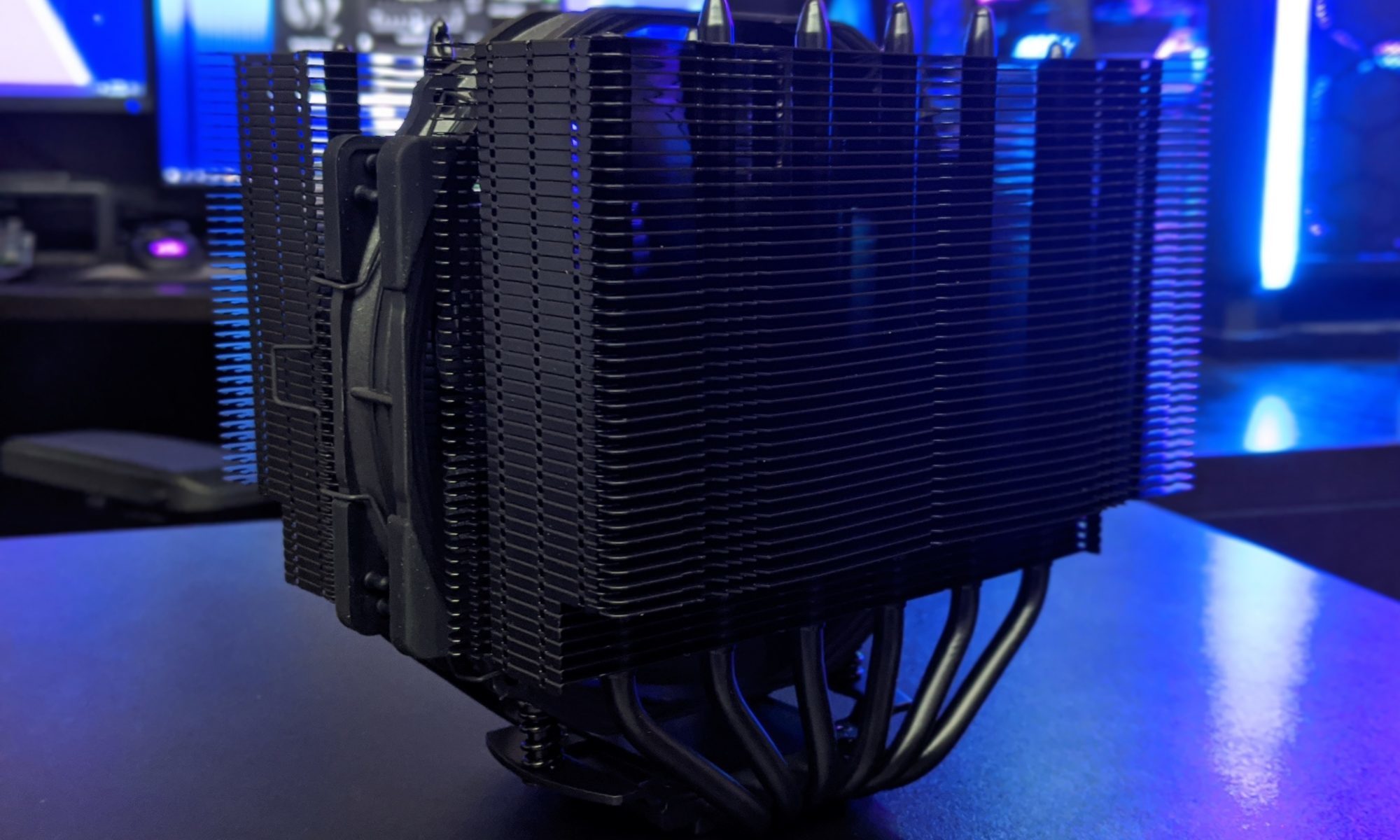
Fan grille design and its effects on PC airflow and noise
A fan grille sits at the point where a PC's moving air becomes a pressure problem. Its wire pattern determines how easily air reaches the blades, how much resistance the fan must overcome, and how evenly the flow enters the housing. That makes grille design more than a cosmetic choice: a restrictive pattern can leave a capable cooler short of the airflow it needs.
It also changes what you hear. Fine openings can soften some broad, turbulent noise, but they may introduce a sharper hiss or make a panel resonate around the fan's tonal balance. The useful comparison is not simply open grille versus closed grille. It is pattern, spacing, mounting and operating speed working together in the finished case.
Open area is only the starting point
Open area is the proportion of a grille's projected face that air can pass through. Wire diameter and pitch set that figure, while crossed wires, overlaps and edge framing reduce it further. Two panels with the same nominal open area can still behave differently if their openings are distributed differently or if one is held flat while the other sags.
What matters next is pressure drop. A fan produces airflow against resistance, so a denser grille lowers the pressure available to move air through the case. At a fixed voltage, the fan may spin faster to maintain speed; with PWM control, the motherboard may simply accept a higher temperature and run the fan harder. A cooler that performs quietly in an open test can become noisy behind a restrictive guard.
Open area is therefore a screening tool, not a verdict. A useful grille keeps its openings distributed across the fan face, supports the wire without obstructing the hub, and avoids creating an obvious bypass around its edge. Actual pressure loss must be measured at the fan's real operating point, because airflow, fan speed and grille orientation all move the result.
Straight, angled and woven patterns
Straight parallel wires offer the simplest geometry. Wires angled across the flow act a little like vanes, directing some air sideways; wires aligned with the incoming flow present less obstruction than bars lying across it. A square grid forces air around two sets of obstacles, while a louvered panel can add direction while also creating swirl.
Woven wire adds intersections and small eddies, while expanded metal forms angled strands around diamond-shaped cells. A punched sheet with round holes provides another approach: the holes have defined edges and no crossing joints. None is automatically quiet. Surface finish, wire diameter, cell shape and mounting stiffness all determine whether the panel redirects air cleanly or sets up persistent turbulence.
The scale of the pattern also affects the sound. Coarse cells tend to create slower pressure fluctuations, while fine mesh shifts more of the hiss into a higher band. Changing a grille can therefore alter perceived noise without a large change in total airflow. Clean perforations usually regularise the pattern; crumpled wire or poorly crimped intersections create irregular wakes that are much harder to characterise.
Shape, placement and alignment
Shape and placement can matter as much as the pattern. A square panel sized to the fan opening gives incoming air a reasonably uniform path. A round grille mounted over a square frame leaves uncovered corners and can let air slip past the mesh, reducing the pressure acting on the fan. Deliberate gaps can provide that bypass, but an accidental offset does not guarantee better cooling.
Keep the grille clear of the fan hub and allow it to sit square to the blade sweep. A grille pressed against the hub acts like a partial blockage and changes the fan's inflow; a loose panel can flutter in the stream. A short, straight distance between grille and fan usually preserves more performance than a large cavity where air has room to swirl before it reaches the blades.
Australian rooms provide a useful reminder that circulation is local. A bedroom in a Sydney apartment or a Melbourne terrace often has a ceiling fan alongside a split-system air conditioner, but those moving room currents do not ventilate a sealed desktop case. During a hot arvo in Brisbane, the case may need more cooling simply because the surrounding air and furniture are already warm. A grille cannot replace a sensible case layout.
Grille noise, resonance and acoustic masking
Grille noise has two broad sources: turbulence in the air and vibration of the panel itself. Air passing around wires creates broadband hiss, while the regular shedding of vortices can add narrow tones. A thin sheet can behave like a shallow drum, and loose screws or a rattling frame can make a modest obstruction sound like a metallic chime. Secure mounting is part of acoustic design.
Hardware Hounds' noise-adjusted performance testing is useful here because a decibel reading alone can hide tonal changes. One grille may raise overall sound while making a harsh fan whine less prominent; another may lower the average but introduce a hollow resonance that listeners notice immediately. The spectrum and the fan's speed matter alongside the average level.
Masking also changes the result. A CPU cooler's fan and a case fan can hide broadband grille hiss, yet a sudden increase in airflow pressure may reveal it as the dominant sound. Comparing one build at a time in a quiet room is unreliable, especially in an Australian home office with traffic or household noise outside. Repeatable recordings need the same microphone position, background level and case configuration.
Cooling performance in real PC workloads
The cooling penalty depends on where the grille sits in the thermal path. Ahead of a fan, it raises the resistance the fan must work against. Behind a heatsink, it sees warmer, less dense air, so the same pressure drop can have a different effect on volume. Restrictive grilles are most damaging where a small fan has little spare capacity, such as a compact CPU cooler operating near its thermal limit.
PWM curves make this trade-off visible in daily use. A controller may keep a fan at a low speed until the CPU approaches its limit, then ramp up sharply when extra resistance pushes the system over that target. Hardware Hounds' CPU cooler comparisons should therefore be read with the grille and case in mind, rather than treating a cooler chart as a universal result. Repeat testing with the same CPU workload, power limit and room temperature.
A modest change in open area may barely register in a large, well-ventilated chassis, while the same change can be decisive in a tightly packed case. Fans cannot recover pressure lost upstream, and raising their speed adds motor noise as well as air noise. In practical terms, the grille's contribution is often clearest in temperature stability and the length of high-speed fan bursts, not in a small change to peak CPU temperature.
Choosing and fitting a fan grille
Choose a grille that matches the fan opening, blade sweep and mounting points. Check the actual open area, not just the wire gauge, and make sure no wire can touch a spinning blade or sit so close to the hub that it distorts the inlet. A rigid panel with an even pattern is preferable to a loose decorative mesh, particularly on a case fan running continuously.
For unusual geometry or a replacement panel, custom sheet-metal fabrication can turn a measured design into a finished part. Provide the fan dimensions, intended airflow direction, wire or hole pattern and available mounting space, then confirm tolerances and edge treatment. A digital drawing alone does not guarantee that a folded or welded grille will remain flat or clear the fan correctly.
Local buyers can compare stock and promotions at retailers such as JB Hi-Fi, Umart and PLE, then check Australian warranty support and delivered pricing rather than relying on a headline discount. Keep the original fasteners and packaging for returns, and resist ultra-thin panels that flex around an otherwise quiet fan. The best result is the quietest pattern that still protects the fan and lets the cooling system meet its thermal target.